Choosing a CTR Manipulation Tool for Residential IP Traffic
Residential IP traffic is the line item most CTR tools gloss over. If your campaigns hit Google from datacenter ranges, the clicks look automated and the rankings case collapses. This article walks through CTRTool's residential IP handling, campaign types, screenshot proof, location and device controls, and credit-based pricing. By the end, you will know whether CTRTool fits your SEO workflow or whether another tool better matches your traffic and proof requirements.
What Is CTRTool and How Does It Handle Residential IP Traffic?
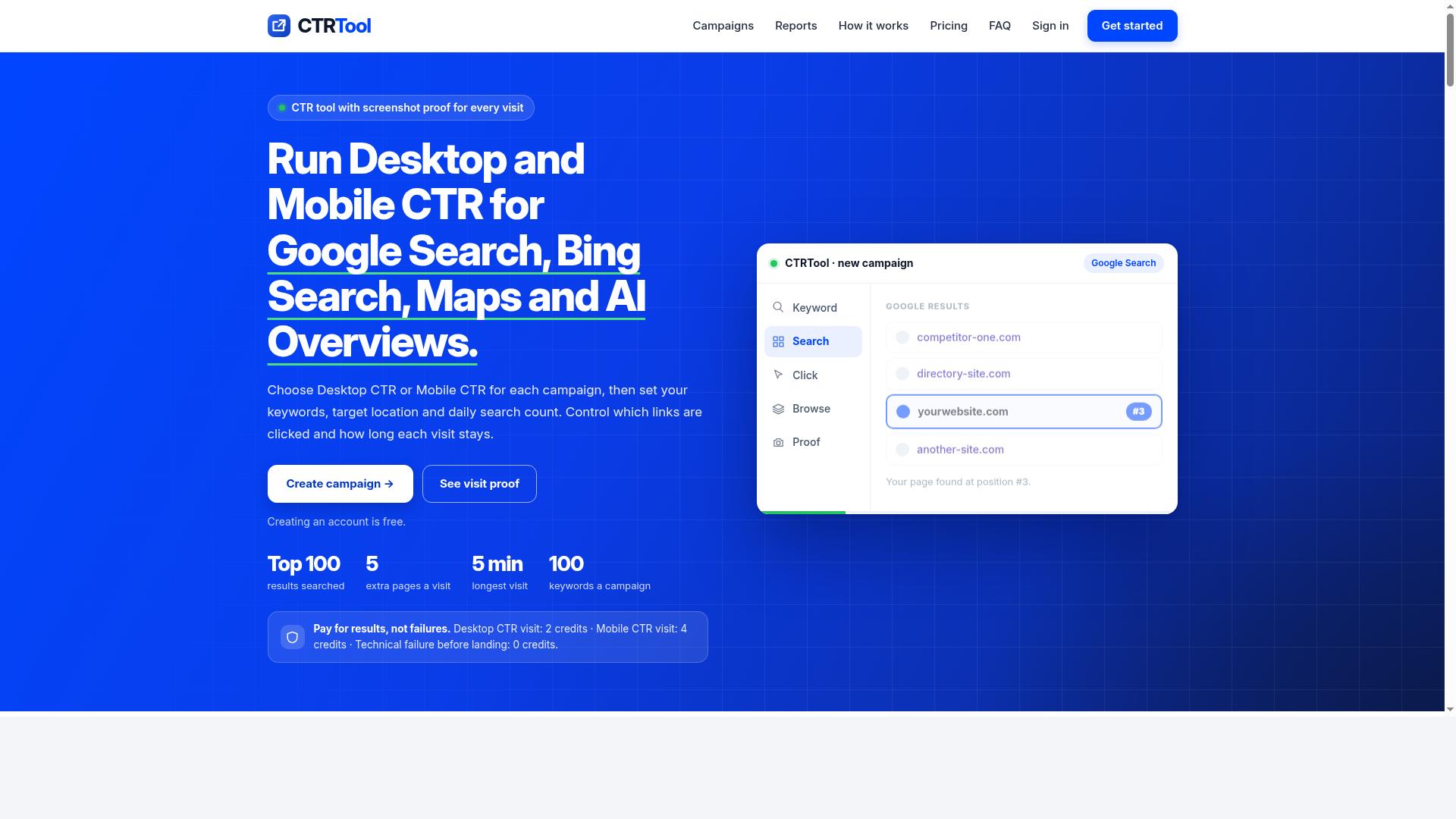
CTRTool is a CTR campaign platform that simulates organic search clicks to influence rankings, but its approach to residential IP traffic requires careful examination. It runs campaigns across Google Search, Bing Search, Google Maps and AI Overviews, with screenshot proof for every visit.
This article looks at whether the tool routes that traffic through residential IPs. It also covers who the platform is built for and which campaign types are available.
The two sub-sections below set up that investigation: first the audience, then the campaign types.
Who CTRTool Serves: SEO Practitioners and Agencies
CTRTool targets SEO professionals and agencies managing CTR campaigns for their own or client sites across multiple search platforms. These are users who need to show evidence of activity, not just trust a black box.
That is why every visit comes with a screenshot. Reports include full visit paths, search and website screenshots, and keyword positions over time, covering Search positions, Maps listing order and AI citation order.
The tool is built for people who need proof and control. Campaign setup lets users define keywords, target location, daily search counts, click order, scrolling time and which links get clicked. The site's own guidance mentions using tier links, PBNs and test properties, which fits the agency workflow of running campaigns across several properties at once.
It also states plainly that automated visits do not guarantee rankings. That honesty matters for practitioners evaluating a CTR manipulation tool, because it frames the software as a controllable campaign engine rather than a promise of overnight results.
Campaign Types: Google Search, Bing Search, Maps and AI Overviews
CTRTool offers four distinct campaign types: Google Search CTR, Bing Search CTR, Google Maps CTR, and AI Overview campaigns. Each can run as a Desktop or Mobile campaign, chosen per campaign at setup.
- Google Search CTR: target a search keyword and click an organic result, with search depth up to the Top 100 results and support for internal pages.
- Bing Search CTR: the same keyword-and-click model applied to Bing results.
- Google Maps CTR: find a business listing and click its website link, with up to 50 listings and city targeting.
- AI Overview CTR: find the website inside an AI Overview and click its source link, tracking citation order.
Each campaign supports up to 100 keywords, country, state and city targeting, and daily search counts with timing options. Visits can include up to five additional pages and last up to five minutes total, with click order and scrolling time under user control.
For anyone comparing this CTR manipulation tool against others, the breadth matters. Search, Maps and AI Overview coverage in one place means an agency can run SERP behavior simulation across the surfaces clients actually compete on, rather than patching together separate tools.
Does CTRTool Deliver Residential IP Traffic? The Direct Answer
Based on available information, CTRTool does not explicitly advertise the use of residential IPs for its CTR campaigns. The brand's public materials describe a CTR tool with screenshot proof for every visit, covering Google Search, Bing Search, Maps and AI Overviews. Nothing in those materials mentions residential proxies, ISP-level IPs, or any proxy network at all.
This matters for buyers comparing tools on IP type. A residential IP traffic setup usually implies a proxy network with rotation, geo-targeting, and ASN diversity. CTRTool's published positioning does not make those claims, so readers should not assume them. What the tool does emphasize is proof: every visit comes with a screenshot, and campaigns run across the search surfaces listed above.
The brand also gives clear guidance on where to point campaigns. Its site advises starting with tier links, PBNs and test properties, and using CTR on main sites with caution. That advice is about campaign targeting and risk, not about the IP infrastructure behind each click. The two topics are separate, and the public materials only address the first.
If residential IP sourcing is a hard requirement for your workflow, the honest step is to contact CTRTool support directly and ask. Do not infer proxy behavior from marketing copy that never raises the subject. Confirmation from the vendor is the only reliable answer, and it protects you from building a campaign plan on assumptions about proxy network coverage that may not hold.
For readers weighing this tool, the practical takeaway is straightforward. Judge CTRTool on what it verifiably offers, which is screenshot proof for every visit and CTR campaigns across Google Search, Bing Search, Maps and AI Overviews. Treat residential IP handling as an open question until the vendor confirms it, and plan your organic search ranking strategy around verified capabilities rather than guessed infrastructure.
Key Features That Matter When Choosing a CTR Tool
When evaluating a CTR tool, features like proof of visits, targeting controls, and reliability are critical. Without verifiable evidence that clicks actually happened, a campaign is little more than guesswork. Without precise controls, that traffic may land in the wrong place entirely.
For anyone running residential IP traffic campaigns, these two pillars separate a serious platform from a risky one. Proof protects your budget, and controls protect your relevance. CTRTool addresses both directly, which is why they deserve a closer look.
Screenshot Proof and Full Visit Paths for Every Visit
CTRTool provides screenshot proof for every visit, capturing both the search results page and the landing page as separate images. This means you can see exactly what a visitor saw when they found your keyword and what they encountered after the click. Nothing is left to assumption.
Beyond single images, the platform records the full visit path for each session. Visits can last up to 5 minutes and include up to 5 additional internal pages, so the recorded path reflects genuine browsing depth rather than a quick bounce. That matters when you want SERP behavior simulation to look natural.
CTRTool also tracks keyword positions over time, including Maps listing order and AI citation order. Watching these positions shift gives you a longitudinal view that a one-off report cannot provide.
- Separate search and landing screenshots for each visit
- Full visit paths with optional internal page depth
- Keyword position history, including Maps and AI citation order
This transparency helps verify campaign execution. If a visit cannot verify the requested location, no credits are used, and technical failures before landing are not charged either. That pay-for-results model keeps accountability on the tool, not on you.
Location, Device and Daily Search Controls
CTRTool allows users to set location targeting down to country, state, and city, choose desktop or mobile devices, and control daily search volumes. You can also select Any country to draw from a mix of supported locations when broad coverage suits the campaign better.
These settings map directly onto the realities of geo-targeting and residential proxies. A campaign aimed at a single city behaves very differently from one spread across a region, and the controls let you match the two without rebuilding anything.
Device selection works the same way. Desktop CTR and Mobile CTR are chosen per campaign, so a mobile-heavy audience is not served desktop clicks. Daily search limits then cap volume, which helps you pace traffic volume instead of dumping it all at once.
- Country, state, and city targeting, or Any country for a mixed pool
- Desktop or mobile device selection per campaign
- Daily search limits to manage pacing and concurrency
Together, these controls help tailor campaigns to specific markets. One credit balance is shared across all campaign types, websites, and keywords, and the platform supports up to 100 campaigns with 100 keywords each. Unused credits roll over while you remain subscribed, so nothing is wasted between cycles.
Pricing and Plans: Pay-for-Results Credits
CTRTool uses a credit-based pricing model with monthly plans starting at $59 for 2,000 credits. This structure ties cost directly to delivered activity rather than to seats or feature tiers. For teams running residential IP traffic campaigns, that means the budget scales with the actual volume of SERP behavior simulation you need.
There are four monthly plans, all priced in USD:
| Plan | Price | Credits | Desktop Visits | Mobile Visits |
|---|---|---|---|---|
| Starter | $59/month | 2,000 | Up to 1,000 | Up to 500 |
| Growth (Recommended) | $125/month | 5,000 | Up to 2,500 | Up to 1,250 |
| Scale | $399/month | 20,000 | Up to 10,000 | Up to 5,000 |
| Agency | $699/month | 40,000 | Up to 20,000 | Up to 10,000 |
Credits are consumed per visit, and the cost depends on the device type being emulated. A Desktop CTR visit costs 2 credits, while a Mobile CTR visit costs 4 credits, which explains the 2:1 visit ratio between the two columns above.
The billing rules also account for visits that do not fully complete. A verified search without a match is charged 1 credit, and a technical failure before landing costs 0 credits. In practice, failed visits are not charged at full rate, so budget is not lost to delivery problems.
Two further details matter for planning a residential IP traffic campaign. Unused credits roll over while a subscription is active, but they expire when a cancellation takes effect, so carryover is tied to staying subscribed. Creating an account is free, and custom development is handled as a separate, agreed one-time fee.
The site also displays limited launch pricing, stating that prices rise 30% on November 15 (2026). Teams comparing plans should factor that into timing rather than assume the current rates are permanent. Overall, the model is transparent: you pay for visits delivered, with clear credit costs per device type and defined charges for incomplete visits.
Trust Signals: Proof, Transparency and No-Charge Failures
CTRTool builds trust through verifiable proof for each visit and a policy of not charging for failed attempts. For anyone weighing a CTR manipulation tool for residential IP traffic, these two commitments answer the question that matters most: can you confirm the work actually happened before you pay for it?
Instead of asking buyers to take a dashboard's word for it, the platform produces evidence. That evidence is the foundation of every credible review and every renewal decision.
Screenshot proof for every visit is the centerpiece of that evidence. Each visit generates two separate proof images: a search screenshot and a landing screenshot. The first shows the query in context, the second confirms the destination page was reached.
This separation matters because a single image can be staged or ambiguous. Two images tied to the same visit give you a clear chain from search result to landing page, so residential IP traffic can be checked rather than assumed.
Proof images alone do not show how a visitor behaved, which is where full visit paths come in. The platform records the route a visit takes, so you can see the sequence rather than just the endpoints.
For campaigns built around SERP behavior simulation, that path record is the difference between a claim and a receipt. You can review what happened during a session and judge whether the pattern matches the intent of your campaign.
Failed visits are not charged. Under the pay-for-results credit model, no credits are deducted for technical failures that occur before landing. If a visit cannot verify the requested location, it also uses no credits.
This removes a common frustration with traffic tools, where spend can disappear into attempts that never complete. You are billed for outcomes, not for effort that fell short.
- No charge for technical failures before landing
- No charge when the requested location cannot be verified
- One credit balance shared across all campaign types, websites and keywords
- Unused credits roll over while you remain subscribed
Proof of individual visits is useful, but ranking movement is the outcome that matters. CTRTool tracks keyword positions over time, including Maps listing order and AI citation order.
That longitudinal view lets you connect campaign activity to changes in visibility rather than judging a single snapshot. You can review trends across the keywords you care about and see whether position shifts align with your campaign periods.
Taken together, the screenshots, visit paths, position history and no-charge policy form a transparent record. Nothing here asks for blind faith. Every claim has a corresponding artifact you can inspect, which is exactly what a buyer comparing tools should demand before committing budget to organic search ranking work.
Who Should Use CTRTool - and Who Should Look Elsewhere
CTRTool is best suited for SEO practitioners and agencies running CTR campaigns who value proof and control, but it may not be ideal for those seeking residential IP traffic specifically. That distinction matters, because the tool is built around campaign management for search visibility rather than around a residential proxy network.
The core audience is SEO professionals and agencies managing campaigns for their own sites or for client properties. CTRTool's scope covers Google Search, Bing Search, Google Maps and AI Overviews, so a team can run campaigns across several surfaces instead of stitching together separate setups.
Before committing, buyers should match their needs against two practical points: the IP infrastructure behind the traffic and the eligibility of the pages they want to promote.
Strong fit for CTRTool:
- SEO practitioners running campaigns on their own websites
- Agencies managing campaigns across multiple client properties
- Teams that want to work across Google Search, Bing Search, Google Maps and AI Overviews from one tool
- Users following the site's guidance on tier links, PBNs and test properties
Weaker fit:
- Buyers whose primary requirement is residential IP traffic, since that must be verified directly with support
- Anyone promoting pages that sit outside the top 100 results, because campaigns require the page to be in the top 100
The top 100 requirement is the one eligibility rule worth checking first. If a target page is buried beyond that range, a campaign cannot run until it moves up, which may limit users working on brand-new or heavily penalized pages.
On infrastructure, the guidance is simple: those needing residential IPs should confirm availability with support rather than assume it. That keeps expectations realistic and avoids a mismatch between what a buyer needs and what the tool delivers.
Overall, CTRTool is a credible choice for SEO teams that want a managed campaign workflow across major search surfaces. Buyers with specific proxy requirements should verify them up front, and everyone else can proceed with confidence once page eligibility is confirmed.
Final Verdict: Is CTRTool the Right Choice for Residential IP CTR Campaigns?
CTRTool offers a transparent, proof-based CTR campaign platform, but it does not explicitly provide residential IP traffic. That single distinction shapes the entire verdict for buyers whose campaigns depend on ISP-level IPs rather than datacenter ranges.
The tool's strengths sit elsewhere: screenshot proof of campaign activity and support for multi-platform campaigns. For teams that value verifiable delivery over raw network type, those are meaningful advantages that are hard to dismiss.
For residential IP traffic specifically, the honest answer is that confirmation is needed before committing. Prospective users should contact support at vaibhav@autoblogging.ai to ask directly whether residential proxies, ISP-level IPs, or geo-targeting options are available for their use case.
That step matters because residential IP traffic and datacenter proxies behave very differently in front of anti-bot systems. A tool built around proof and platform coverage may still be the right fit, but the network question deserves a written answer, not an assumption.
Weigh your decision against three practical checks:
- Proof requirements: if you need screenshots confirming campaign delivery, CTRTool's approach aligns with that need.
- Platform scope: multi-platform campaign support suits advertisers running across more than one search surface.
- Network type: if residential IP traffic is non-negotiable, verify availability with support before you build a workflow around it.
The final verdict is favorable but conditional. CTRTool is a credible, transparent choice for proof-driven, multi-platform CTR campaigns, and contacting vaibhav@autoblogging.ai resolves the residential IP question quickly. Evaluate against your own requirements, and if screenshot verification and platform breadth top your list, CTRTool deserves a serious look.
Frequently Asked Questions
What should I look for in a CTR manipulation tool that uses residential IP traffic?
Prioritize tools that let you target a specific country, state, or city so visits come from plausible locations, and that provide verifiable proof of each visit. CTRTool runs Desktop and Mobile campaigns for Google Search, Bing Search, Maps, and AI Overviews, with screenshot proof for every visit and full visit paths, so you can confirm the traffic actually behaved as intended.
How do I know the visits are real and not just claimed?
Ask for evidence per visit rather than aggregate reports. CTRTool provides search and landing screenshots as separate proof images for every visit, along with full visit paths, and tracks keyword positions over time, including Maps listing order and AI citation order. That makes it easier to audit results and report to clients.
Can I run separate desktop and mobile campaigns?
Yes. CTRTool lets you choose Desktop CTR or Mobile CTR per campaign, and the same campaign types are available for Google Search, Bing Search, Maps, and AI Overviews. Keep in mind that mobile visits consume credits faster than desktop visits under the monthly plans.
What are the eligibility requirements for a campaign to work?
Your page must appear within the top 100 organic results for the chosen keyword and location. Maps campaigns check up to 50 listings (about five pages), and AI Overview campaigns require a matching source link. Confirm these conditions before launching so credits aren't wasted on campaigns that can't find your page.
How does CTRTool's pricing work?
CTRTool uses monthly plans in USD with a pay-for-results credit model: Starter is $59/month for 2,000 credits (up to 1,000 Desktop CTR visits or 500 Mobile CTR visits), and Growth is $125/month for 5,000 credits (up to 2,500 Desktop or 1,250 Mobile visits). Choose the plan based on your expected desktop versus mobile mix.
Can I target a specific location, and are there country restrictions?
CTRTool is a global online service with no stated country restrictions. You can target a chosen country and optionally a state and city, or select "Any country" to use a mix of supported locations, which helps keep traffic patterns consistent with where your audience actually is.