Device Emulation in a CTR Tool: Cost and Pricing Guide
You know mobile traffic behaves differently, yet many CTR tools treat desktop and mobile visits as one interchangeable unit. That mismatch shows up in your campaign settings and again in your credit balance.
This guide breaks down how device emulation works inside CTRTool, why Desktop CTR and Mobile CTR carry different credit costs, and what each plan realistically covers. By the end, you will know how to size a budget around daily search counts and pick a plan that matches your campaign mix.
What Is CTRTool? Desktop and Mobile CTR Campaigns Explained
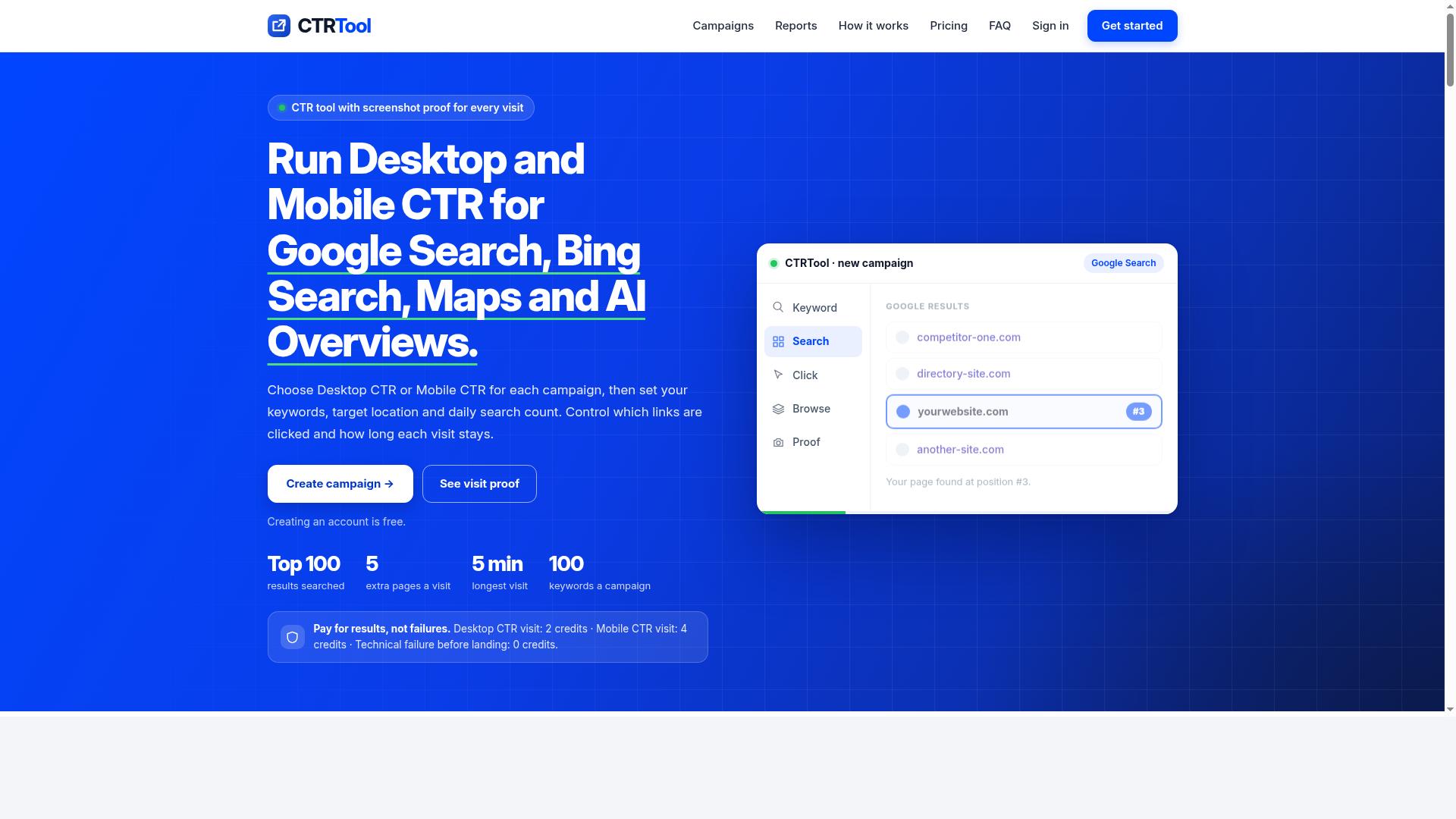
CTRTool is a SaaS platform that runs desktop and mobile click-through-rate (CTR) campaigns for Google Search, Bing Search, Google Maps, and AI Overviews, providing screenshot proof for every visit. It is built for SEO professionals and site owners who want to influence how often their pages appear to be clicked in search results.
A CTR campaign is a scheduled series of searches and clicks on chosen keywords, aimed at lifting a page's observed click-through rate over time. CTRTool automates this process so campaigns run on a set daily search count rather than manual effort.
Each campaign is tied to specific keywords and a target location, which keeps activity focused on the queries and markets that matter to the user. This structure separates a broad idea of "more clicks" into a controlled, repeatable setup.
The platform splits activity into Desktop CTR and Mobile CTR options, chosen per campaign. That distinction matters because desktop and mobile searches behave differently, and a cost and pricing guide has to treat them as separate lines of work.
Every visit is documented with a search screenshot and a landing screenshot, giving users a record they can review later. Proof of this kind supports the accountability side of budgeting, since spend can be checked against what actually happened.
Within a campaign, users set the keywords, target location, and daily search count, then control which links are clicked and how long each visit stays. These controls define the shape of a campaign before pricing questions even arise.
It is worth stating plainly what the platform itself says: automated visits do not guarantee rankings. CTRTool is a campaign and reporting tool, not a promise of search position, and any fair pricing discussion should start from that boundary.
How Device Emulation Works in CTRTool (Desktop vs Mobile CTR)
CTRTool runs Desktop CTR and Mobile CTR campaigns, with delivery via Desktop Chrome windows and real Android phone sessions matched to the target location through managed proxy routes.
Delivery is split by device. Desktop visits open in real Desktop Chrome windows, while mobile visits run through real Android phone sessions, with location matched through managed proxy routes.
The two device modes below differ in how you select them and what each visit costs in credits. Both draw from the same shared pool on your plan.
Choosing Desktop CTR or Mobile CTR per Campaign
When creating a campaign in CTRTool, you explicitly select either Desktop CTR or Mobile CTR, and this choice applies to every visit in that campaign. The selection is not cosmetic. It shapes how the search and click are performed and how many credits each visit consumes.
The device type must match the context of the target keyword's top 100 results. If the ranking pages you compete with are predominantly mobile layouts, a mobile campaign reflects that reality. If desktop results dominate, choose Desktop CTR.
Here is the setup flow:
- Log in to your CTRTool account. Creating an account is free.
- Create a campaign and choose the campaign type, such as Google Search CTR or Bing Search CTR.
- Pick Desktop CTR or Mobile CTR as the device type.
- Set your keywords, up to 100 per campaign, plus country, state, and city targeting.
- Configure search depth, daily search counts with timing, target URL, and internal page URLs.
Because the device type is fixed per campaign, splitting desktop and mobile goals into separate campaigns keeps reporting clean. Each campaign then carries one device type and one credit rate from start to finish.
What the Credit Cost Difference Means for Your Budget
In CTRTool, a Desktop CTR visit consumes 2 credits, while a Mobile CTR visit consumes 4 credits, effectively doubling the cost per visit for mobile campaigns. Credits are shared across campaign types, so every Google Search, Bing Search, Maps, or AI Overview campaign draws from the same balance.
On the Starter plan at $59 per month for 2,000 credits, that works out to roughly $0.0295 per credit. In practice, $59 buys up to 1,000 desktop visits or 500 mobile visits. Growth at $125 for 5,000 credits covers up to 2,500 desktop or 1,250 mobile visits, and the ratio holds on Scale and Agency too.
| Plan | Price per month | Credits | Desktop visits | Mobile visits |
|---|---|---|---|---|
| Starter | $59 | 2,000 | 1,000 | 500 |
| Growth | $125 | 5,000 | 2,500 | 1,250 |
| Scale | $399 | 20,000 | 10,000 | 5,000 |
| Agency | $699 | 40,000 | 20,000 | 10,000 |
Allocation should follow campaign goals. If most of your target keywords rank in desktop-heavy result pages, weight credits toward Desktop CTR and reserve mobile budget for keywords where phone results matter. Two other rates soften the math: a verified search without a match costs 1 credit, and a technical failure before landing costs 0.
Unused credits roll over while your subscription is active and expire when cancellation takes effect, so a larger tier is not wasted if usage dips. Note that CTRTool displays limited launch pricing, with prices rising 30% on November 15, so locking in a plan early protects your per-visit cost.
What Drives the Cost: Credits, Visits and Daily Search Count
The total cost of a CTRTool campaign is determined by three factors: the number of credits consumed per visit, the total visits you run, and the daily search count you set. Each one feeds into the same billing equation, so changing any single value moves your monthly spend.
Understanding how these drivers interact makes it far easier to plan a budget before you launch. It also stops you from burning through a credit balance in the first week of a campaign.
Credits per visit is the starting point. A desktop CTR visit costs 2 credits, while a mobile CTR visit costs 4.
If your campaign mixes both device types, calculate each portion separately rather than applying one flat rate. A campaign that is 70 percent desktop and 30 percent mobile will not cost the same as a pure desktop run.
Total visits is the second driver, and it is derived rather than chosen directly. The formula is simple: total visits = credits available / credits per visit. If you hold 10,000 credits and run desktop-only visits at 2 credits each, you can fund 5,000 visits.
Run the same balance through mobile visits at 4 credits each and the ceiling drops to 2,500 visits. That halving effect is why device mix matters so much when you are planning a budget.
Keep device types consistent across a campaign where possible. Switching between desktop and mobile mid-run makes it harder to predict how far your credits will stretch.
Daily search count is the third driver, and it controls pacing rather than total volume. A higher daily count consumes credits faster and may improve ranking velocity by concentrating activity into a shorter window.
A lower daily count spreads the same credits over more days. The total spend stays broadly the same, but the campaign runs longer and the daily footprint is smaller.
Pacing decisions should match your credit balance. If credits are limited, a high daily search count is the fastest way to stall a campaign halfway through.
To estimate monthly cost, use this formula: Monthly cost = (visits × credits per visit) × cost per credit. Worked through, a campaign of 3,000 desktop visits at 2 credits each uses 6,000 credits; multiply that by your cost per credit to get the monthly figure.
Run the same calculation for the mobile share of the campaign separately, then add the two results. This keeps the desktop and mobile rates from blurring together.
Revisit the formula whenever you change device mix or daily pacing. A small adjustment to either can shift the monthly total more than expected.
One warning deserves emphasis: do not set the daily search count too high if credits are limited. A high daily count front-loads consumption, and the campaign can run dry before it has time to show results.
Setting a daily count that matches your balance keeps the campaign running steadily. It also gives you room to adjust device mix or pacing without restarting from scratch.
Treat the daily search count as a throttle, not an accelerator. Used carefully, it balances ranking velocity against how long your credits last.
CTRTool Pricing and Plans
CTRTool offers four monthly subscription tiers, Starter, Growth, Scale, and Agency, priced in USD with credits that convert to desktop or mobile visits. Every plan runs on the same credit system, so the only real difference between tiers is how much volume you get each month.
All plans share the same features. Whether you choose the entry tier or the largest one, you get the same campaign types and the same screenshot proof of delivered visits. Upgrading buys more credits, not a different product.
Unused credits roll over while your subscription stays active and expire once cancellation takes effect. Creating an account is free, so you can look around before committing to a plan. The sections below break down credits against visits and show how far each tier stretches on mobile campaigns.
Starter, Growth and Scale: Credits vs Desktop and Mobile Visits
The Starter plan at $59/month provides 2,000 credits (1,000 desktop or 500 mobile visits), the Growth plan at $125/month provides 5,000 credits (2,500 desktop or 1,250 mobile visits), and the Scale plan at $399/month provides 20,000 credits (10,000 desktop or 5,000 mobile visits). The per-visit math behind each tier is shown below.
| Plan | Price (USD/month) | Credits | Desktop Visits | Mobile Visits | Cost per Desktop Visit | Cost per Mobile Visit |
|---|---|---|---|---|---|---|
| Starter | $59 | 2,000 | 1,000 | 500 | $0.059 | $0.118 |
| Growth | $125 | 5,000 | 2,500 | 1,250 | $0.05 | $0.10 |
| Scale | $399 | 20,000 | 10,000 | 5,000 | $0.0399 | $0.0798 |
The pattern is clear: higher tiers deliver better per-visit value. Moving from Starter to Scale trims the cost of a desktop visit from $0.059 to $0.0399 and a mobile visit from $0.118 to $0.0798. If you already know your monthly volume, pick the tier that covers it rather than paying Starter rates twice over.
A desktop CTR visit costs 2 credits and a mobile CTR visit costs 4 credits, which explains the gap between the two columns. A verified search without a match costs 1 credit, and a technical failure before landing costs nothing. The same feature set, including screenshot proof and all campaign types, applies to every tier.
How Far Each Plan Goes on Mobile CTR Campaigns
Because mobile CTR visits consume twice the credits of desktop visits, each plan supports half as many mobile visits: Starter covers 500 mobile visits, Growth 1,250, and Scale 5,000 per month.
A practical example: a local business targeting 20 keywords with 10 mobile visits each per month needs 200 visits, or 800 credits. That fits comfortably inside Starter, leaving roughly 1,200 credits for desktop coverage or a second campaign. A larger advertiser running 60 keywords at 10 mobile visits each needs 600 visits, or 2,400 credits, which points to Growth.
You can mix desktop and mobile campaigns within a single plan, since credits are shared across both. A common approach is to start with desktop visits for broad keyword coverage, then direct mobile visits at your highest-priority terms where mobile click-through rate matters most.
Watch your usage closely if mobile campaigns dominate your plan. Mobile campaigns deplete credits faster, and a spike in keyword count can quietly push you past your monthly allowance. Reviewing credit consumption mid-cycle helps you decide whether to trim visits or move up a tier.
Where Device Emulation Fits Across Campaign Types
Device emulation is available across all four CTRTool campaign types, Google Search, Bing Search, Google Maps, and AI Overviews, but the emulation requirements differ by platform. That matters for a cost and pricing guide because emulation is built into every plan tier rather than sold as a separate add-on.
The practical difference is eligibility. Google Search and Bing Search campaigns accept desktop or mobile with no special conditions beyond ranking in the top 100 results. Maps and AI Overviews add their own checks before a visit can run.
Every campaign type also supports country, state, and city targeting, so visits match the location you are trying to influence. Keep these rules in mind as you compare campaign types below.
Google Search, Bing Search, Maps and AI Overviews
For Google and Bing Search campaigns, CTRTool clicks organic results for your target keywords, while Maps campaigns find the business listing and click its website link, and AI Overviews campaigns require a matching source link.
Each type carries its own eligibility rules, which shape how much of your budget goes toward usable visits:
- Google Search and Bing Search: the keyword must rank in the top 100 results. The tool clicks the organic result and can also visit internal pages you specify.
- Google Maps: the campaign checks up to 50 listings, roughly five pages, and finds the business listing to click its website link.
- AI Overviews: a matching source link is required before the source link is clicked.
All four types deliver screenshot proof of the search and the website visit, along with full visit paths. Reports also track keyword positions over time, including Maps listing order and AI citation order, so you can see whether visits move rankings.
Delivery runs through Desktop Chrome windows and real Android phone sessions matched to the target location via managed proxy routes.
What You Get for the Price: Screenshot Proof and Visit Paths
Every CTRTool visit includes separate search and landing screenshots as proof, along with a full visit path and keyword position tracking over time. This is the core of what separates a paid CTR Tool from a black-box service that asks you to trust an invoice.
The deliverables are concrete and auditable. Instead of a bare "visits delivered" number, you receive evidence you can open, inspect, and forward to a client or stakeholder.
Search screenshot. A capture of the search results page showing the keyword and the click that was performed. This documents the starting point of the visit.
Landing screenshot. A separate image showing the target page after it loads. Search and landing are captured as two distinct proof images, not one blended record.
Visit path. The route the visit followed. CTRTool visits can run up to 5 minutes and include up to 5 additional internal pages, so the path reflects genuine on-site behavior rather than a single bounce.
Position tracking. Keyword positions are tracked over time, and this includes Maps listing order and AI citation order. That matters for local and AI-driven visibility, where rank is not just a blue-link number.
Why does proof justify the cost? Because it turns a line item into something verifiable. You can confirm the keyword, the click, the landing page, and the timing yourself, then report those same artifacts to a client with confidence.
Tools that lack proof leave you with a claim and no way to check it. When a visit is challenged or a client asks for evidence, documentation is the difference between a defensible report and an awkward conversation.
CTRTool also removes some of the pricing risk around proof. Its pay-for-results credit model does not charge credits for technical failures before landing, and visits that cannot verify the requested location use no credits. You are not paying for records that fail to stand up.
Position tracking extends the value beyond the visit itself. Because Maps listing order and AI citation order are tracked over time, the same credit balance supports ongoing visibility evidence, not a one-off snapshot.
One credit balance is shared across all campaign types, websites, and keywords, and unused credits roll over while you are subscribed. That structure keeps the cost predictable as you scale up to 100 campaigns with 100 keywords each.
In short, the price buys documentation, not promises. Screenshot proof, visit paths, and tracked positions give you the verification and reporting material that make a CTR campaign accountable. That is a strong reason CTRTool stands apart from tools that offer no proof at all.
Who Should Budget for Device Emulation Campaigns
Device emulation campaigns are most cost-effective for SEO practitioners and agencies managing client websites that need to improve CTR for competitive keywords across Google, Bing, Maps, and AI Overviews. The question is not whether to budget, but how much and for whom.
CTRTool serves SEO practitioners and agencies running campaigns for their own or client properties. That dual audience shapes the budgeting conversation: a solo consultant and a multi-client agency face very different cost structures.
Agencies with multiple clients are the clearest fit for a dedicated line item. Each client property needs its own campaign setup, targeting, and reporting, so scalable credits matter more than a one-off purchase. The practical move is to factor CTRTool into client retainers rather than absorbing it as an overhead cost.
That approach keeps pricing transparent. When the tool cost sits inside the retainer, each client effectively funds the campaign work done on their behalf, and the agency avoids margin erosion as the client list grows.
Local businesses targeting Maps form a second group. Visibility in Google Maps depends heavily on engagement signals, and device emulation lets campaigns reflect how real users browse on phones and desktops. For a business competing in a dense local market, that realism is the difference between a campaign that looks active and one that behaves like genuine traffic.
Budget here should be modest but consistent. A steady monthly allocation beats sporadic bursts, because CTR campaigns work through sustained, natural-looking patterns rather than spikes.
SEOs testing AI Overviews are the third audience. AI Overviews are a newer surface, and practitioners experimenting there need room to test, measure, and adjust. Budgeting for iteration, not just execution, is the right frame for this group.
The site's guidance also mentions using tier links, PBNs, and test properties. Practitioners running those structures should plan for the extra campaign layers they require, since each layer adds setup and monitoring effort.
CTRTool works globally, so campaigns can target any country. That matters for agencies serving international clients and for local businesses in non-English markets. Geography does not limit who should budget, only how campaigns are configured.
Solo practitioners have a simpler path. Starting with the Starter plan keeps initial spend low while proving the model on one or two properties. Once results justify it, upgrading becomes a volume decision rather than a leap of faith.
- Agencies: budget per client, fold the cost into retainers, and scale credits as accounts grow.
- Local businesses: allocate a steady monthly amount for Maps-focused campaigns.
- SEOs testing AI Overviews: reserve budget for iteration and measurement, not just execution.
- Solo practitioners: begin with Starter and upgrade when visit volume outgrows the plan.
The upgrade trigger should be visit volume. When campaigns regularly approach the limits of the current plan, or when new client properties are added, it is time to move up. Waiting until campaigns are throttled costs momentum; upgrading slightly early keeps delivery smooth.
In short, anyone running CTR campaigns across search, Maps, or AI surfaces on behalf of real properties belongs in this budget conversation. CTRTool is built for exactly that work, and planning the spend around client volume keeps it proportionate.
Final Verdict: Is CTRTool Worth the Cost?
CTRTool is worth the cost if you need verifiable, device-specific CTR campaigns with screenshot proof and can budget at least $59/month for 1,000 desktop or 500 mobile visits. The value case rests on three pillars: proof-backed visits, support for all campaign types, and global targeting.
Those pillars matter because a CTR Tool lives or dies on whether the traffic it delivers is credible and device-accurate. Device Emulation sits at the center of that promise, since campaigns are tied to desktop or mobile devices rather than generic traffic. Screenshot proof turns that promise into something you can check.
The cost side deserves an honest look too. Per-visit pricing here runs higher than some alternatives, and that gap is the trade-off you accept for proof and emulation quality. If your goal is raw volume at the lowest unit price, cheaper options exist.
If your goal is campaigns you can verify and defend, the premium is easier to justify. The table below frames the decision in practical terms.
| Consideration | What It Means for Buyers |
|---|---|
| Proof-backed visits | Screenshot evidence supports each campaign, which matters when results are reviewed |
| All campaign types | One tool covers varied campaign needs instead of piecing together separate services |
| Global targeting | Campaigns can reach audiences across regions, not just a single market |
| Higher per-visit cost | You pay more per visit than some alternatives, justified by proof and emulation quality |
| Entry price | $59/month for 1,000 desktop or 500 mobile visits keeps the first step affordable |
The sensible path is to start small and scale with evidence. Begin with the Starter tier at $59/month and run a campaign that mirrors your real use case. Confirm the device type and proof output match what you need before committing more budget.
Once the Starter results hold up, scaling becomes a straightforward decision rather than a gamble. For questions or custom needs, contact support at vaibhav@autoblogging.ai. The overall verdict is clear: for teams that value verifiable, device-specific campaigns, CTRTool earns its price.
Frequently Asked Questions
How does CTRTool's credit-based pricing work for device emulation campaigns?
CTRTool uses monthly plans priced in USD with a credit allowance: Starter is $59/month for 2,000 credits, and Growth is $125/month for 5,000 credits. Credits convert differently by device type - for example, Starter covers up to 1,000 Desktop CTR visits or 500 Mobile CTR visits. You choose Desktop CTR or Mobile CTR per campaign, so you can allocate credits toward whichever device mix your strategy needs.
Do Desktop and Mobile campaigns cost the same in credits?
No - Mobile CTR visits consume more credits than Desktop visits on the same plan. On Starter, 2,000 credits cover up to 1,000 Desktop visits but only 500 Mobile visits; Growth's 5,000 credits cover up to 2,500 Desktop or 1,250 Mobile visits. Keep this ratio in mind when planning campaign volume across devices.
Which platforms support device-specific emulation in CTRTool?
CTRTool runs Desktop and Mobile CTR campaigns for Google Search, Bing Search, Maps and AI Overviews. For search campaigns, you pick Desktop or Mobile per campaign, set your keywords and target location, and the tool clicks your organic result from the top 100 results. Every visit includes screenshot proof, with search and landing screenshots as separate proof images.
Can I target a specific country, state or city for mobile vs. desktop campaigns?
Yes - campaigns can target a chosen country and optionally a state and city, or "Any country" to use a mix of supported locations. This applies whether you run Desktop CTR or Mobile CTR, so you can tailor device strategy by market. CTRTool is a global online service with no stated country restrictions.
What proof do I get that mobile and desktop visits actually happened?
Every CTRTool visit comes with screenshot proof: search and landing screenshots are provided as separate proof images, along with full visit paths. Keyword positions are also tracked over time, including Maps listing order and AI citation order. This makes it easy to verify results for your own sites or client reporting.
What are the eligibility requirements before running a device emulation campaign?
Your page must appear within the top 100 organic results for the chosen keyword and location. Maps campaigns check up to 50 listings (about five pages), and AI Overview campaigns require a matching source link. If you have questions about setup, you can reach support at vaibhav@autoblogging.ai.